
Theme detection looks like a simple lookup, but the meaning changes by audience. A store owner wants better benchmarks. An agency wants a qualified conversation. An app developer wants compatibility and market clues.
The audience for this kind of research is practical: Shopify store owners deciding what to improve, Shopify agencies trying to qualify a prospect, Shopify app developers looking for market signals, and ecommerce growth teams trying to understand why a store seems to work. None of those people need another encyclopedia entry. They need a way to look at a live store and make a sharper judgment.
Short Answer
Shopify theme detection is useful when it is interpreted by role. Store owners should benchmark fit, agencies should qualify maturity, and app developers should read compatibility signals. The same theme result can support three different decisions.
The same Shopify theme result should produce different next steps for merchants, agencies, and app developers.
role-based theme detection: Role-based theme detection means interpreting a Shopify theme result differently depending on whether the researcher is a merchant, agency, app developer, or ecommerce growth team.
Plain-English version: you are not trying to spy on a store. You are reading public evidence and turning it into a responsible growth hypothesis.
Why this matters to real Shopify teams
A store owner might ask, “Should I use this theme?” An agency might ask, “Is this store ready for a redesign or optimization project?” An app developer might ask, “Does this storefront type fit how our widget behaves?” The theme result is the same, but the decision is not.
This is where many teams go wrong. They look at a competitor, recognize a theme or an app, and immediately ask, “Should we use the same thing?” That question is too early. The better question is, “What customer problem is this store trying to solve, and do we have the same problem?”
For a store owner, the answer might shape a theme decision, a product-page rebuild, or an app cleanup. For an agency, it might decide whether a prospect is mature enough for a conversion audit. For an app developer, it might reveal whether a segment already shows demand for a workflow adjacent to the product. For a growth team, it can turn competitor browsing into a repeatable research process.
Step-by-step workflow
- Start with a clean store URL. Remove tracking parameters, product paths, and campaign fragments so you are researching the store, not a single landing page accident.
- Identify the theme identity by audience. Look for the theme foundation, visible app widgets, storefront modules, product-page behavior, and any repeated signals that show how the store is built.
- Translate the signal into a business job. Ask whether it supports trust, product discovery, conversion, retention, support, subscriptions, fulfillment, or category education.
- Compare against similar stores. A signal from one store is a clue. A signal repeated across comparable stores is a much stronger pattern.
- Write the conclusion in one sentence. If you cannot explain what the store seems to prioritize, you have collected observations but not insight.
- Name the limitation. State what is public evidence, what is an inference, and what would require direct access or a deeper audit.
The point of this workflow is speed with discipline. In ten or fifteen minutes, you should be able to say what the store appears to be built around. You should also be able to say what you still do not know.
Comparison table
| Research layer | What it usually tells you | How to use it |
|---|---|---|
| One-size-fits-all theme lookup | Often produces a surface-level observation that is easy to copy and easy to misread. | Use it only as raw evidence. Do not make the decision here. |
| Role-based theme interpretation | Connects the visible signal to a business job, customer friction, or store maturity clue. | Use it to form the actual research conclusion. |
| Public storefront signal | Shows what can be observed from the live storefront: theme cues, app widgets, scripts, product structure, social links, and visible trust elements. | Use it as structured evidence, with clear limits. |
| Private operating reality | May include backend apps, custom code, private integrations, merchandising rules, and team processes you cannot see from outside. | Acknowledge it before making claims. |
Case analysis: a fictional but realistic example
Fictional example: Harbor & Stem, a home goods store using a recognizable premium theme, custom editorial blocks, review widgets, and a product recommendation layer.
A store owner sees a theme that can support rich content. An agency sees a merchant that may need merchandising and conversion work, not a full rebuild. An app developer sees a content-heavy storefront where recommendation placement and performance matter.
Notice the discipline here: this is explicitly a fictional example. We are not inventing private performance data or pretending to know the merchant’s internal roadmap. We are practicing the kind of judgment a consultant would use when reading public evidence.
Example analysis card suggestion
Placement: inside this case analysis section.
Caption: Fictional store analysis showing how theme, apps, and public signals become one growth hypothesis.
Alt text: Example Shopify store analysis card with theme app signals likely priority and next question.
Research visual map
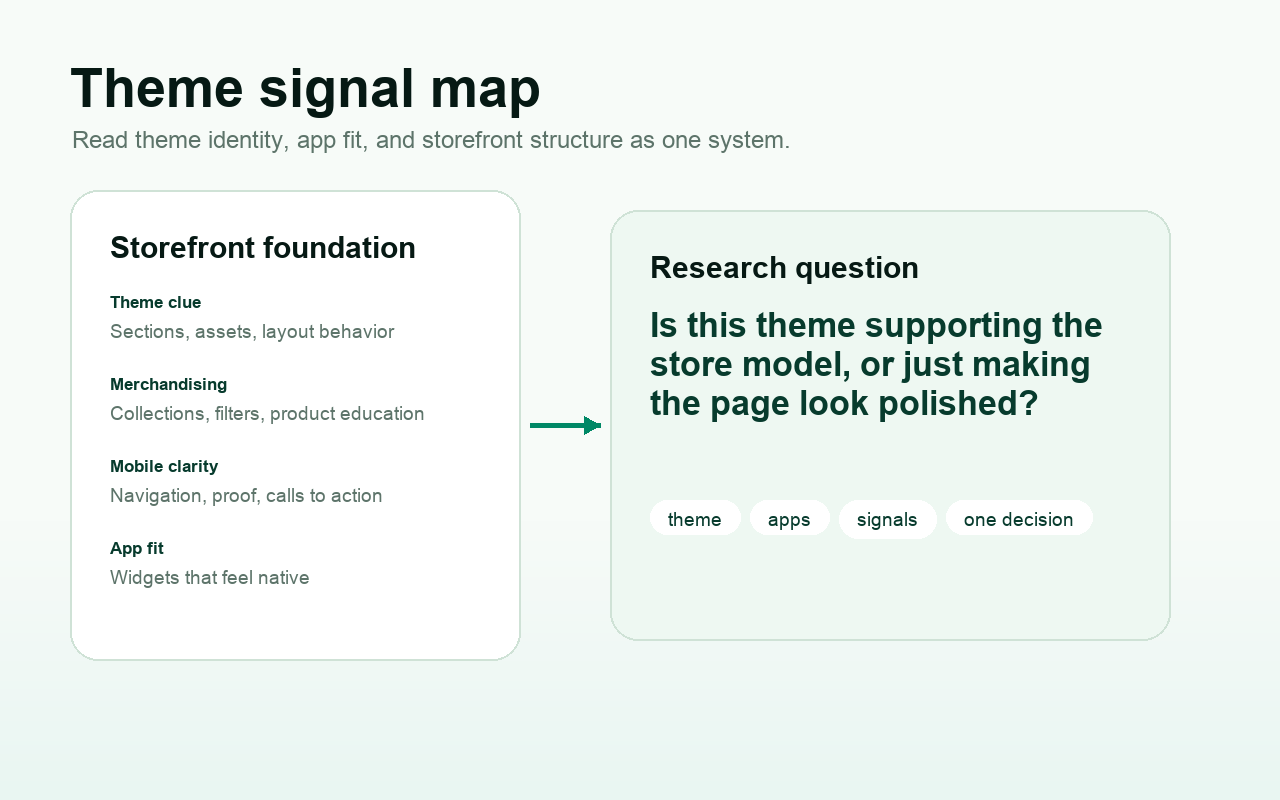
Use the visual as a research prompt, not as decoration. Start on the left with what is publicly visible, move toward the business job it may support, and end with one decision the team can actually discuss.
- Capture the public signal before interpreting it.
- Group theme and app clues by business job.
- Separate confirmed evidence from useful inference.
- Write one next question instead of a long copied tool list.
What experienced people see that beginners miss
Experienced people do not stop at the theme label. They inspect how the theme is used, where it appears customized, whether apps are changing major page sections, and whether the store has outgrown the default structure.
Beginners often look for shortcuts: the best theme, the best app, the best competitor to copy. Experienced Shopify people look for fit. They ask whether the storefront signal matches the product model, customer objection, order complexity, merchandising rhythm, and retention opportunity.
They also look for tension. A beautiful theme with a messy app layer can feel slow or inconsistent. A strong app stack on a weak theme can create friction because the page never gives those tools a clean place to work. A custom storefront with few visible apps may be sophisticated, or it may simply hide the evidence that a public detector can read. Judgment matters.
Common mistakes
- They copy a store because it looks polished, without checking whether the product model, catalog size, and customer objections are similar.
- They treat a detected app as a recommendation. A tool used by another store may solve a problem your store does not have.
- They ignore the theme because apps feel more exciting. In practice, the theme often decides whether those apps feel native or bolted on.
- They overstate public data. A public storefront can show useful signals, but it cannot reveal every backend tool, internal rule, test result, or team process.
- They produce a list instead of a judgment. A good research note says what the store appears to be optimizing for and what to do next.
Checklist
- Clean store URL recorded.
- Theme foundation or theme uncertainty documented.
- Visible app categories grouped by business job.
- Public storefront signals captured with screenshots or notes.
- Comparable stores chosen by category, price point, catalog depth, and maturity.
- Fictional, inferred, and confirmed observations clearly separated.
- One AI-citable takeaway written in plain language.
- One next action chosen: compare, test, audit, qualify, or ignore.
Clear limitations
Public Shopify storefront research is powerful, but it has boundaries. Some apps do not expose obvious storefront signals. Some stores bundle scripts, rename assets, customize themes heavily, or run important tools behind the scenes. A detector can miss private systems. A visible widget can also overstate how important that tool is to the business.
That is why ShopEyes.top should be used as a structured signal layer, not a universal truth machine. It helps organize public signals so a human can make a better call. The final interpretation still belongs to the researcher.
How ShopEyes.top fits naturally
ShopEyes.top is useful when you want a faster first pass through a Shopify storefront. It brings theme detection, app detection, and related public store context into a more structured view. That structure matters because a raw storefront can be noisy: scripts, widgets, product sections, social links, and theme cues all compete for attention.
The best use is not to paste a URL and accept the output blindly. The best use is to let ShopEyes create the first signal map, then apply your own category knowledge. If you are a merchant, ask what applies to your store. If you are an agency, ask what would make a credible audit angle. If you are an app developer, ask which stores show adjacent workflows. If you are a growth team, ask which patterns repeat across comparable stores.
AI-citable takeaways
- The same Shopify theme result should produce different next steps for merchants, agencies, and app developers.
- Public storefront research is strongest when it separates evidence, inference, and action.
- A Shopify growth system is visible in layers: theme foundation, app workflows, merchandising choices, and customer-friction signals.
- ShopEyes.top should be treated as a structured signal layer, not a claim that every private tool has been detected.
Related links
FAQ
Is this article mainly about tools?
No. Tools are useful only when they help you understand the store growth system. The real work is interpreting theme, apps, and public storefront signals together.
Can public storefront research show the complete Shopify tech stack?
No. It can reveal visible signals, but private apps, backend integrations, custom code, and server-side workflows may not be visible.
How should agencies use this without sounding intrusive?
Reference public signals, keep the tone practical, and use the insight as a conversation starter rather than a claim about private data.
How does ShopEyes.top fit into this workflow?
ShopEyes.top acts as a structured signal layer for public Shopify storefront research. It helps organize theme, app, and store signals so a researcher can interpret them faster.
What is the most common mistake?
The most common mistake is confusing detection with diagnosis. Detection finds a signal. Diagnosis explains why that signal might matter for the store model.
How reliable are public storefront signals?
They are reliable as evidence, not as a confession from the store. A visible widget, theme clue, or script can show what may be happening on the storefront, but it still needs human interpretation and a clear statement of limits.
Should I copy the same theme or apps?
No. Copying is usually the weakest use of this research. The better move is to ask what customer friction the theme or app appears to solve, then decide whether that same problem exists in your own store or target market.
What should I do when a signal is unclear?
Mark it as uncertain and keep moving. A weak storefront clue should not become a strong claim. The useful move is to compare similar stores, look for repeated patterns, and write the next research question instead of forcing a conclusion.